

Start here
What Digital Coupons Actually Are
Next
Where to Find Digital Coupons
Then
How Redemption Works
Important
Restrictions and Fine Print to Read First
Avoid pitfalls
Common Mistakes and How to Avoid Them
What Digital Coupons Actually Are
A digital coupon is a discount offer delivered and redeemed electronically rather than as a physical slip of paper. Instead of cutting something out of a newspaper, you activate an offer through an app, website, or loyalty account - and the discount is automatically applied when you purchase the qualifying item.
The underlying mechanics mirror traditional coupons: a manufacturer or retailer agrees to reduce the price of a specific product under specific conditions. What changes is the delivery method and the activation step. That activation step is what catches many shoppers off guard - simply seeing an offer does not mean it's applied to your account.
Digital coupon
An electronic discount offer that must be activated in an app or website before it reduces the price of a qualifying product at checkout.
Clipping
The digital equivalent of cutting out a paper coupon - tapping a button in an app or on a website to add an offer to your account so it can be redeemed.
Loyalty account
A free account linked to a retailer's rewards program. Digital coupons are typically stored and redeemed through this account, identified by a card, phone number, or app scan.
Stacking
Using two different coupons on the same item in a single transaction - for example, combining a manufacturer coupon with a store coupon. Permitted only when a retailer explicitly allows it.
Manufacturer coupon
A discount issued by the company that makes a product, typically redeemable at any participating retailer rather than at a single store.
Store coupon
A discount issued by a specific retailer, redeemable only at that retailer's locations or website.
For a broader look at how digital coupons fit alongside cashback programs and loyalty points, see how each savings program works.
Where to Find Digital Coupons
Digital coupons come from three main sources, each with slightly different rules:
- Retailer apps and loyalty programs. Grocery chains, drugstores, and big-box retailers publish weekly digital offers inside their apps or on their websites. These are tied to your loyalty account and applied automatically at checkout when your account is identified.
- Manufacturer websites and apps. Consumer goods companies sometimes offer printable or load-to-card coupons directly. These are typically redeemable at multiple participating retailers.
- Third-party coupon platforms. Several independent platforms aggregate offers from both retailers and manufacturers. Some require you to clip offers to a linked loyalty account; others generate a barcode you show at checkout.
Creating a free loyalty account at stores you shop regularly is usually the highest-return starting point, since those offers are built around that store's inventory and sale cycles. This fits neatly into the everyday savings strategies outlined in our complete guide to spending less on what you already buy.
How Redemption Works
The redemption process varies by source, but the general flow is consistent:
- Find and activate the offer. Browse available coupons in the app or website and tap "clip," "add," or "save" - whatever that platform calls it. Unclipped offers typically will not apply, even if you buy the right product.
- Shop as normal. Add the qualifying item to your cart (in-store or online). Make sure the size, variety, and quantity exactly match what the offer specifies.
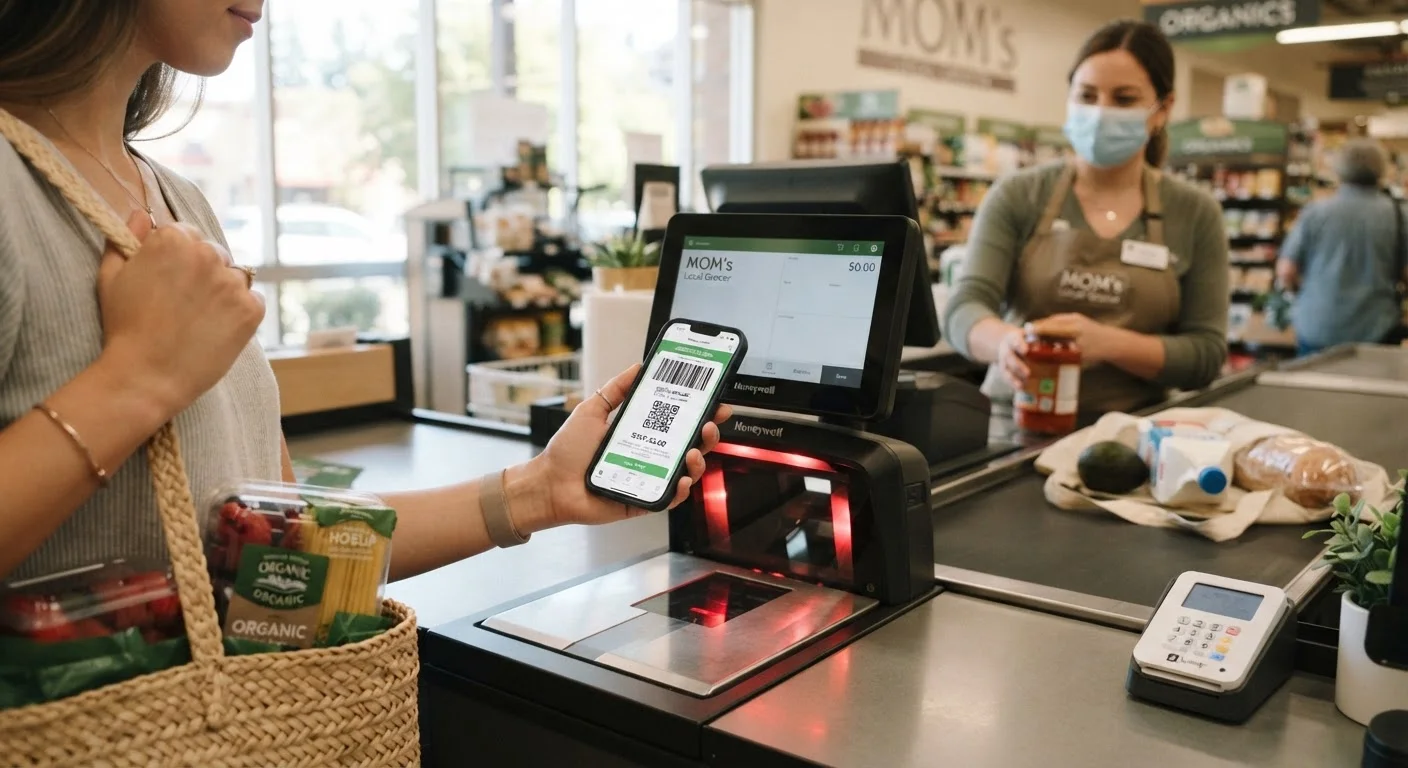
- Identify your account at checkout. In-store, this usually means scanning your loyalty card, entering your phone number, or scanning a QR code in the app. Online, it's automatic if you're logged in.
- Confirm the discount applied. Review your receipt or order summary before leaving or finalizing. Discrepancies are easier to resolve immediately than after the fact.
Check Your Receipt Every Time
Before walking away from the register or closing your browser after an online order, scan the receipt line by line for each expected discount. Digital coupons occasionally fail to apply due to a product mismatch or a technical glitch, and catching it in the moment is far easier than disputing it later. Most customer service desks can apply a valid coupon retroactively if you raise it immediately with your receipt in hand.
Restrictions and Fine Print to Read First
Digital coupon terms are more detailed than most shoppers realize. Before assuming an offer applies to your situation, check these four things:
- Qualifying product specifics
- Many offers apply only to a particular size, flavor, or package count. A coupon for a 32 oz. variety will not apply to the 16 oz. version, even if the product name looks identical on the shelf.
- Purchase minimums
- Some offers require you to buy two or more units before the discount triggers. The per-unit price may still make sense, but you need to plan for the quantity.
- One-per-account limits
- Most digital coupons are limited to one use per loyalty account per transaction, and sometimes per day. Using multiple accounts to exceed this limit typically violates platform terms of service.
- Expiration dates
- Digital offers expire - sometimes within 48-72 hours of being clipped, especially app-exclusive flash offers. Note the end date when you save an offer.
For a broader framework on evaluating terms before committing to a purchase, reading the fine print is a practical companion reference.
Common Mistakes and How to Avoid Them
Most checkout failures with digital coupons trace back to a small set of preventable errors:
- Forgetting to clip. The single most common issue. Make it a habit to activate offers before you leave home, not while standing in the aisle.
- Buying the wrong variant. Double-check the size and variety against the offer details - not just the product name. When in doubt, open the offer description in the app while you're in the aisle.
- Assuming offers stack without checking. Stacking a manufacturer coupon on top of a store coupon can deliver meaningful savings, but not every retailer permits it. Check the store's coupon policy page, which is usually available on the retailer's website.
- Ignoring the receipt. Verify every expected discount before you leave the store. This is the fastest way to catch a missed redemption while it's still easy to correct.
Don't Let Offers Drive Unnecessary Purchases
A coupon only saves money if you would have bought the item anyway. Activating an offer on a product you don't need - just because the discount looks attractive - results in spending more, not less. Treat digital coupons as a tool to reduce the cost of your existing shopping list, not as a reason to expand it.
Used consistently and carefully, digital coupons can meaningfully reduce what your household spends on everyday items. The key is treating each offer as a small contract with specific terms - a habit that pays off every week. For more ways to build this into a broader savings routine, explore the Everyday Money Wins hub.
Frequently Asked Questions
Yes - nearly all digital coupons carry an expiration date, which is listed in the offer details. Some expire within days of being clipped; others last several weeks. Always check the end date before planning your shopping trip around a specific offer.
Generally yes. A digital coupon discount typically applies on top of a sale price unless the terms explicitly state otherwise. However, using two coupons on the same item - known as stacking - depends on the retailer's policy, so verify before checkout.
First confirm the offer was activated and the correct item is in your cart. If the problem persists, ask a cashier to manually look up the offer or contact customer service. Keep your receipt; many retailers can apply an eligible discount after the fact.
Most retailer-issued digital coupons require a free loyalty account, since the discount is linked to your profile and applied automatically when your account is identified at checkout. Manufacturer coupons from third-party apps may work differently.
Yes. Most are limited to one use per account, and many also cap the number of qualifying items per transaction. The offer details section will specify these limits - it's worth reading before you buy in bulk.
Use a dedicated email address for promotional accounts to keep marketing out of your primary inbox. Only provide information that's required, and review the privacy policy to understand how your data may be used before signing up.
The content provided on our blog site traverses numerous categories, offering readers valuable and practical information. Readers can use the editorial team’s research and data to gain more insights into their topics of interest. However, they are requested not to treat the articles as conclusive. The website team cannot be held responsible for differences in data or inaccuracies found across other platforms. Please also note that the site might also miss out on various schemes and offers available that the readers may find more beneficial than the ones we cover.